Logging Time Via Task Page
You can log time directly from the Task page or from the Quick View page.
HOW TO LOG TIME:
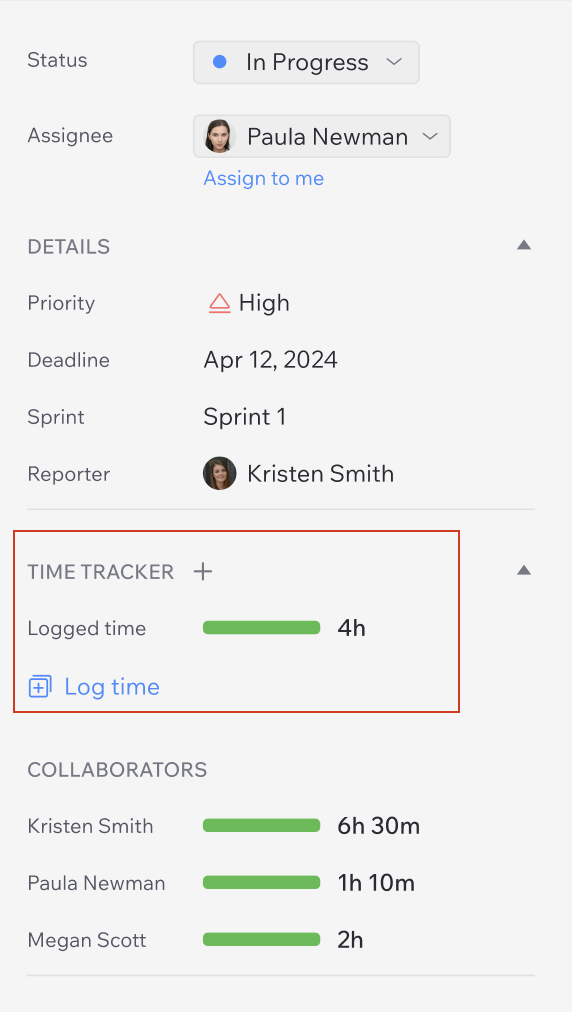
1. Open the task you want to log time for.
2. Click Time Tracker.
Or “+” button and then “Log time”
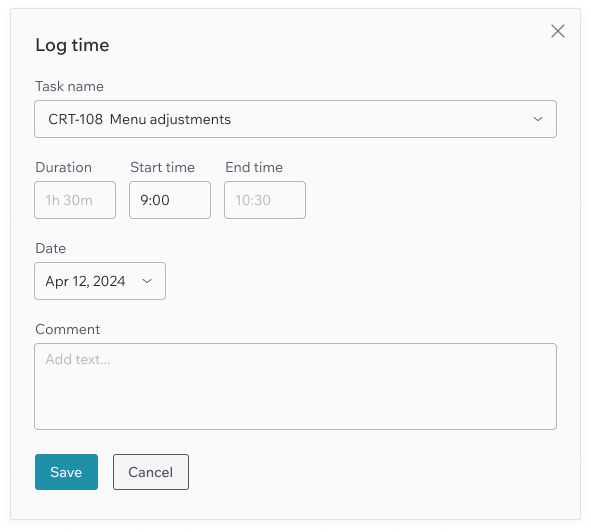
3. In the pop-up form, select the relevant task.
If the task does not appear, use the search function to find it.
4. Enter the time spent on the task in the format:
- [number]h for hours
- [number]m for minutes
- Or, you can set the Start and End time, and the Duration will be calculated automatically
5. Choose a date (you can select both past and future dates).
6. Add a comment if necessary.
7. Click “Save” to log the time or “Cancel” to discard changes.